St. Patrick’s Day Adding Doubles and Doubles Plus One Math Activity use with Google Slides™ from Learning Harbor Resources for Teachers is a no-prep, self-correcting digital math resource for Kindergarten, First Grade, and Second Grade. Students practice adding doubles and doubles plus one while receiving instant feedback with “Way to Go!” or “Try Again, You’ll Get It Next Time.” Perfect for Google Classroom™ and Google Drive™, this paperless Life Saver Activity works on any device that operates Google Slides™. Use it for spiral review, math centers, small groups, tutoring, RTI, enrichment, early finishers, and 1:1 device time. A fun St. Patrick’s Day alternative to worksheets that keeps students engaged and confident.
$3.00
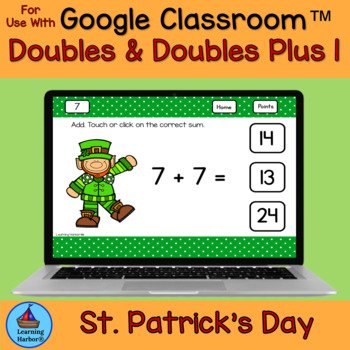
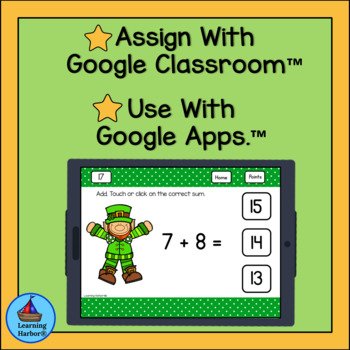
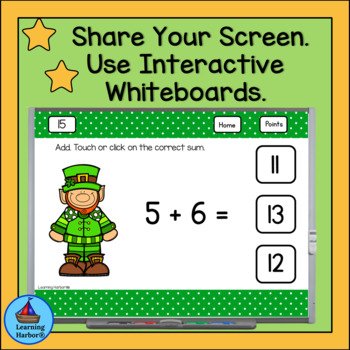
St. Patrick’s Day Adding Doubles and Doubles Plus One Digital Math Activity for Google Slides™ is a cheerful, engaging way to help students build strong math fluency while practicing important addition strategies. If you’re a new teacher looking for a reliable digital resource you can use right away, or an experienced Kindergarten, First Grade, or Second Grade teacher who wants an activity that students truly enjoy, this Learning Harbor Resources for Teachers Life Saver Activity fits beautifully into your math routine.
Fluency with addition facts is one of the most important goals in early math. When students know their doubles facts, they gain confidence and speed that supports future skills like mental math, two-digit addition, and problem solving. Doubles plus one facts are the next natural step because they help students notice number patterns and make quick connections. For example, when students know 6 + 6 = 12, it becomes much easier to solve 6 + 7 by thinking “one more.”
This adding doubles and doubles plus one St. Patrick’s Day themed digital math activity gives students repeated practice with doubles and doubles plus one in a way that feels fun and motivating. Instead of filling out worksheet after worksheet, students interact with the lesson in a structured, predictable format that allows them to work independently.
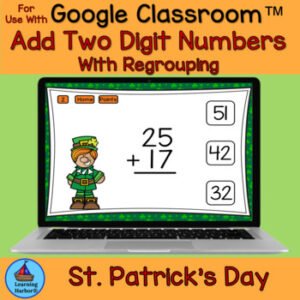
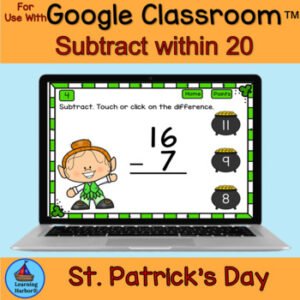
Students begin on the home page and click on a symbol. Each click takes students to a random slide where they will solve a doubles or doubles plus one problem. Students find the correct sum, record their answer if you choose, and then check their work by touching or clicking their answer choice.
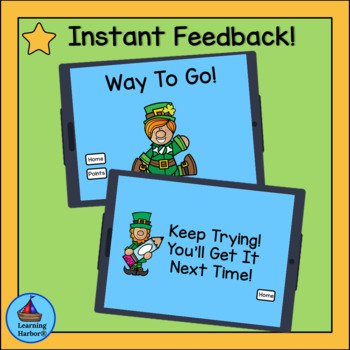
The best part is that this activity is self-correcting and provides instant feedback:
If students click the correct answer, a slide with “Way to Go!” appears.
If students click the incorrect answer, a slide with “Try Again, You’ll Get It Next Time” appears.
This immediate feedback helps students learn from mistakes without feeling embarrassed or frustrated. It also keeps them engaged and focused on the skill. Students enjoy the sense of independence, and teachers love how easy it is to monitor learning progress.
To keep students motivated, you can project the tally slide on an interactive whiteboard and let students tally correct answers. If you prefer a paper option, simply copy the included black-and-white points slide for students to use. These options work wonderfully for math centers, rotations, or independent practice time because students stay on task and enjoy tracking their progress.
This activity is:
Paperless and no-prep
Simple to use in Google Drive™
Compatible with any device that operates Google Slides™
Great for in-person learning, distance learning, and homework practice
It also supports important classroom goals beyond math accuracy. Digital learning tools like this help students improve:
Dexterity and fine motor control
Clicking and dragging skills
Computer confidence
Independence and self-checking routines
This Learning Harbor Life Saver Activity is flexible enough for many teaching settings, including:
Spiral Review: add it to your weekly routine for consistent fact practice
Math Stations and Rotations: students work independently while you meet with small groups
Guided Math Support: use it as a skill-building station during instruction
RTI / Intervention: targeted practice with immediate feedback
Tutoring: perfect for one-on-one practice
Parent Volunteers and Classroom Helpers: students can work while adults support calmly
Early Finishers: meaningful enrichment without extra planning
Enrichment and Reinforcement: ideal for building confidence in math patterns
Computer Lab or 1:1 Devices: students practice independently
Whole Group on a Whiteboard: turn practice into a class activity
New teachers often need resources that are consistent, simple, and effective. This St. Patrick’s Day themed interactive math activity was designed to be easy to implement right away. You can assign it in minutes, students can understand the routine quickly, and you can feel confident knowing students are getting high-quality practice.
If you’re ready to make adding doubles and doubles plus one practice fun, engaging, and stress-free, this St. Patrick’s Day Google Slides™ activity from Learning Harbor Resources for Teachers is the perfect addition to your math toolbox.
⭐Related Products⭐
❤️ Bunnies and Chicks Eight Games For Teaching Teen Numbers
❤️ Football Fun Teaching Teen Numbers
❤️ Penguins Teen Numbers Tens Blocks and Ten Frames for Google Classroom™
❤️Snowman Teen Numbers Tens Blocks and Ten Frames for Google Classroom™
❤️ Thanksgiving Teen Numbers Tens Blocks and Ten Frames PowerPoint
How to get TPT credit to use on future purchases:
☀️Please go to your My Purchases Beside each purchase you’ll see a Provide Feedback button, simply click it and you will be taken to a page where you can give a quick rating and leave a short comment for the product. Each time you leave feedback TPT gives you feedback credits that you can use to lower the cost of your future purchases. I value your feedback greatly as it helps me determine which products are most valuable for your classroom so that Learning Harbor Resources for Teachers can make more for you.
Be the first to know about my new discounts, freebies, product launches, and special goodies for followers only:
☀️Look for the green star next to my store logo and click it to become a follower. Voila! You will now receive updates about Learning Harbor Resources for Teachers.