Comparing Numbers Greater Than Less Than Spring Bunnies Google Slides Activity is an engaging digital math resource designed for First Grade and Second Grade students. This interactive, self-correcting activity helps students practice identifying which number is greater or less while building confidence and number sense. Created by Learning Harbor Resources for Teachers, this Learning Harbor Life Saver activity is paperless, no prep, and easy to use with Google Slides™ or Google Classroom™. Students receive immediate feedback as they practice comparing numbers in a fun Easter themed game format. Perfect for math centers, distance learning, small groups, tutoring, RTI intervention, early finishers, and independent practice in today’s technology-friendly classrooms.
$3.00
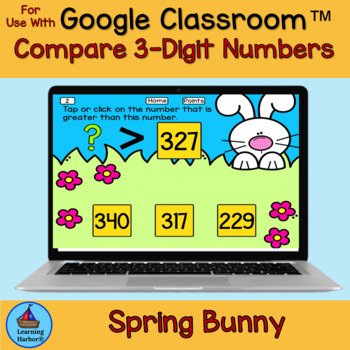
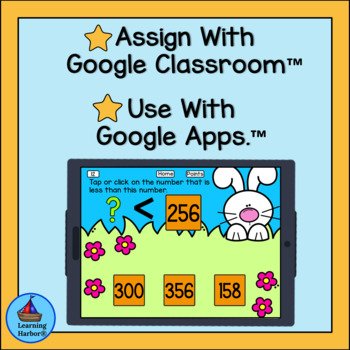
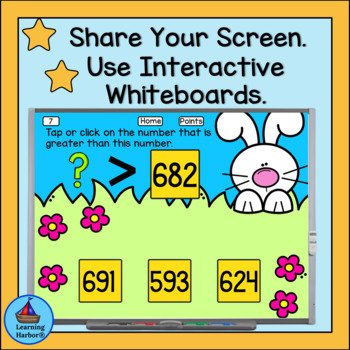
Comparing Numbers Greater Than Less Than Spring Bunnies Google Slides Activity is a fun, interactive digital math resource designed to help young learners practice comparing numbers while building confidence and number sense. Created by Learning Harbor Resources for Teachers, this engaging activity provides meaningful practice in identifying which number is greater than or less than in a way that feels more like a game than a worksheet.
Comparing numbers is an essential early math skill for First Grade and Second Grade students. When children understand how numbers relate to one another, they begin developing stronger number sense, which supports addition, subtraction, place value, and problem solving. Activities that allow students to repeatedly practice these skills in a motivating format can make a significant difference in both understanding and confidence.
This Comparing Numbers Greater Than Less Than Spring Bunnies themed digital math activity brings a cheerful seasonal element to math practice. Students enjoy the friendly theme while focusing on comparing numbers and determining which number is greater and which is less. Because the activity is interactive and self-correcting, students stay engaged while receiving immediate feedback on their answers.
One of the biggest benefits of this resource is its simplicity for teachers. As part of the Learning Harbor Life Saver collection, this Comparing Numbers Greather Than Less Than Spring Bunnies activity is designed to be low prep, teacher-friendly, and easy to implement. Teachers simply share the Google Slides link and students are ready to begin. There is no printing, cutting, or additional preparation required.
Students begin the activity on a home page where they click on an image. Each image takes them to a random slide with numbers that must be compared. Students decide which number is greater than or less than and select their answer.
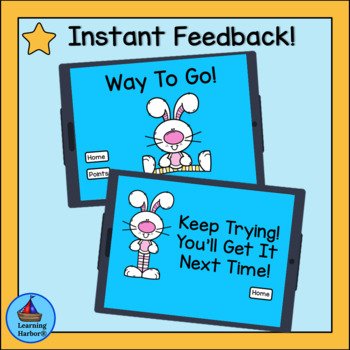
Immediate feedback helps reinforce learning. When students choose the correct answer, they see a cheerful “Way to Go!” slide that encourages them to continue. If an incorrect answer is selected, students receive a positive “Try Again, You’ll Get It Next Time” message that allows them to try again and build confidence in their understanding.
Teachers also have the option to incorporate a points system to create friendly classroom competition. A tally slide can be displayed on an interactive whiteboard so teams can track their correct answers. For smaller groups or centers, a printable points sheet can also be used.
This flexible design makes the activity ideal for many classroom situations. Teachers can use it for whole-class instruction, small group practice, math centers, or individual work. It also works very well for distance learning and hybrid classrooms since students can complete the activity independently on their own devices.
New teachers especially appreciate resources that are reliable, easy to use, and engaging for students. Having ready-to-use digital activities available can significantly reduce planning time while still providing high-quality instruction and meaningful practice.
This resource can be used in many different ways including:
Math centers or rotations
Spiral review
Early finisher activities
Tutoring sessions
RTI intervention
Independent practice
Distance learning
Learning at home
Computer lab lessons
1:1 device classrooms
Interactive whiteboard instruction
Because the activity is self-correcting, students are able to work independently and check their understanding as they go. This helps build both confidence and responsibility for learning.
The Learning Harbor Life Saver activities are designed to support teachers with practical resources that save time while helping students build strong academic foundations. By combining engaging themes, clear skill practice, and simple implementation, these activities help create positive learning experiences for both teachers and students.
If you are looking for an easy-to-use digital math activity that helps students practice comparing numbers while staying engaged and motivated, this Comparing Numbers Spring Bunny themed resource is a wonderful addition to your classroom.
Related Products
❤️ Comparing Numbers Which Has More? Which Has Less? Pumpkin Farm Kids
❤️ Comparing Numbers Which Is More? Bats for Google Classroom™ Distance Learning
❤️ Distance Learning Comparing Numbers Which is Less? Pencils and Backpack Kids
❤️ Distance Learning Comparing Numbers. Which is Greater? Backpack Kids
❤️Distance Learning Use With Google Classroom™ Comparing Numbers More and Fewer
❤️ Distance Learning Use With Google Classroom™ Comparing Numbers Which has Fewer
❤️Distance Learning Use With Google Classroom™ Comparing Numbers Which has More
❤️Distance Learning for Google Classroom Comparing Numbers Bundle Fewer More
Related Products
How will using Interactive Self-Correcting Google Slides™ activities benefit you and your students?
♥The activities use up to date technology.
♥ The activities are paperless and no prep! Just download and teach.
♥The activities work on any computer or device that operates Google Slides™.
♥The activities are engaging so students spend more time on task.
♥The activities improve students’ dexterity and computer skills.
⭐Teacher Tips⭐
How to get TPT credit to use on future purchases.
★Please go to your My Purchases page. (You may need to log in). Beside each purchase you’ll see a Provide Feedback button. Simply click it and you will be taken to a page where you can give a quick rating and leave a short comment for the product..
★Each time you give feedback, TPT gives you feedback credits that you use to lower the cost of your future purchases.
★I value your feedback greatly as it helps me determine which products are most valuable for your classroom, so that I can create more for you.
Be the first to know about my new freebies, product launches and special goodies for followers only!
★Look for the green star next to my store logo and click it to become a follower. Voila! You will now receive one email update each month about Learning Harbor Resources for Teachers.