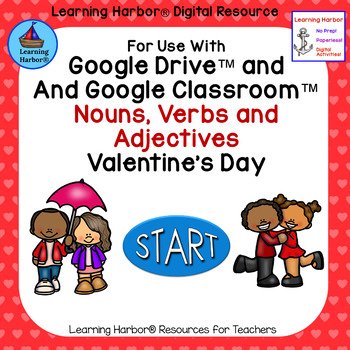
Valentine’s Day Nouns Verbs and Adjectives is a self-correcting Google Slides™ parts of speech activity designed for First Grade and Second Grade students. This engaging Valentine’s Day themed grammar game helps children practice identifying nouns, verbs, and adjectives while building confidence and independence.
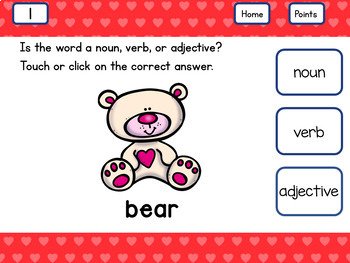
Students will work in Present Mode by clicking a symbol on the home page to visit a random slide, choose the correct answer, and receive instant feedback. Correct answers display a cheerful “Way to Go!” while incorrect answers encourage students with “Try Again, You’ll Get It Next Time.” This paperless, low-prep activity works with Google Drive™ and Google Classroom™ on any device that operates Google Slides™.
It is ideal for literacy centers, small groups, spiral review, tutoring, RTI, early finishers, computer lab, and whole group projection. Includes easy-to-follow teacher directions. From Learning Harbor Resources for Teachers.
$3.00
If you’re looking for a fun, dependable way to help your students practice grammar skills in February, Valentine’s Day Nouns Verbs and Adjectives is the perfect resource to add to your literacy routine. This Valentine’s Day themed activity from Learning Harbor Resources for Teachers provides self-correcting, engaging practice identifying nouns, verbs, and adjectives, while keeping students encouraged and confident every step of the way.
Grammar instruction is one of those skills that truly benefits from repeated exposure. Students need consistent, meaningful practice identifying parts of speech before they can use them effectively in writing. This resource supports that goal in a way that feels fun and seasonal without distracting from the learning target. The Valentine’s Day Nouns Verbs and Adjectives theme adds charm and excitement, while the routine stays simple, clear, and easy for young learners to follow.
This interactive resource is designed for use with Google Drive™ or Google Classroom™ and works on any device that operates Google Slides™. It’s a wonderful choice for First Grade and Second Grade teachers who want an activity that blends traditional skill practice with digital engagement.
This activity is designed to be used in Present Mode, giving it a clean, structured game-like feel. Students will begin on the home page and click a symbol to be taken to a random slide. Each slide is set up for independent learning and self-checking, so students are able to work confidently without constant teacher support.
Here’s what students do:
Students click a symbol on the home page to go to a random slide
Students read the prompt and identify the correct answer
Students click their choice to check their work
If correct, they see an encouraging “Way to Go!” message
If incorrect, they see “Try Again, You’ll Get It Next Time”
That immediate feedback is one of the biggest strengths of this activity. Students stay motivated and on task because they receive instant responses and can quickly correct mistakes without feeling discouraged.
Teachers love resources that fit easily into a predictable routine, and this one works beautifully across multiple classroom settings. Whether you’re teaching whole group, rotating through literacy centers, or working with small groups, this activity gives you flexible options for meaningful practice.
This resource can be used for:
Spiral review
Literacy stations, centers, and rotations
Individual student practice on tablets or computers
Small group instruction
Tutoring
Parent volunteers
Interns and student teachers
RTI (Response to Intervention)
Early finishers
Older student buddies
Projecting onto a whiteboard
Reinforcement and enrichment
Computer Lab and 1:1 time
You can also make it extra fun by using the included tally option! Students can tally correct answers on the tally slide projected on an interactive whiteboard, or you can copy the black-and-white points slide for individual tracking.
This resource is designed with busy teachers in mind. It is paperless, low-prep, and ready to use, which makes it a true time saver during a busy season. Simply download, follow the clear directions, and your students are ready to learn.
When you purchase this resource, you will download a brief PDF with easy-to-follow teacher directions. The directions include everything you need to get started, and the link to the resource is provided on slide 7 of the teacher directions for quick access.
Interactive self-checking activities are one of the best tools for keeping students engaged while reinforcing essential skills. They help students stay focused and build independence, especially in First Grade and Second Grade.
These activities benefit both students and teachers because:
They are paperless and require no printing
They are no prep — just download and teach
They work on nearly any device using Google Slides™
They keep students engaged and learning longer
They support independence and confidence
They strengthen computer skills and fine motor control
If you want a February grammar activity that’s engaging, structured, and easy to implement, Valentine’s Day Nouns Verbs and Adjectives from Learning Harbor Resources for Teachers is a classroom-tested option you can feel good about using year after year.
You may want to check out these related products.
Related Products
• Sorting Nouns, Verbs and Adjectives Valentine Theme Grade 2
• Which Fact Does Not Belong Valentine FREE
• Subtracting Two Digit Numbers Valentine Kids for Google Classroom™
• Subtraction Within 20 Valentine’s Day Superheros for Google Classroom™